
An operating system that makes old laptops fast and secure again.
Tinnin OS is the operating system by Evers Operations. It starts in seconds and keeps your files, mail and calendar in sync on your laptop, in the browser and on your phone.
- from power on to desktop, on a 2017 laptop
- 15 sec
- from power on to desktop, on a 2017 laptop
- memory in use after startup
- 850 MB
- memory in use after startup
- to download, use and for 1 GB of cloud storage
- € 0
- to download, use and for 1 GB of cloud storage
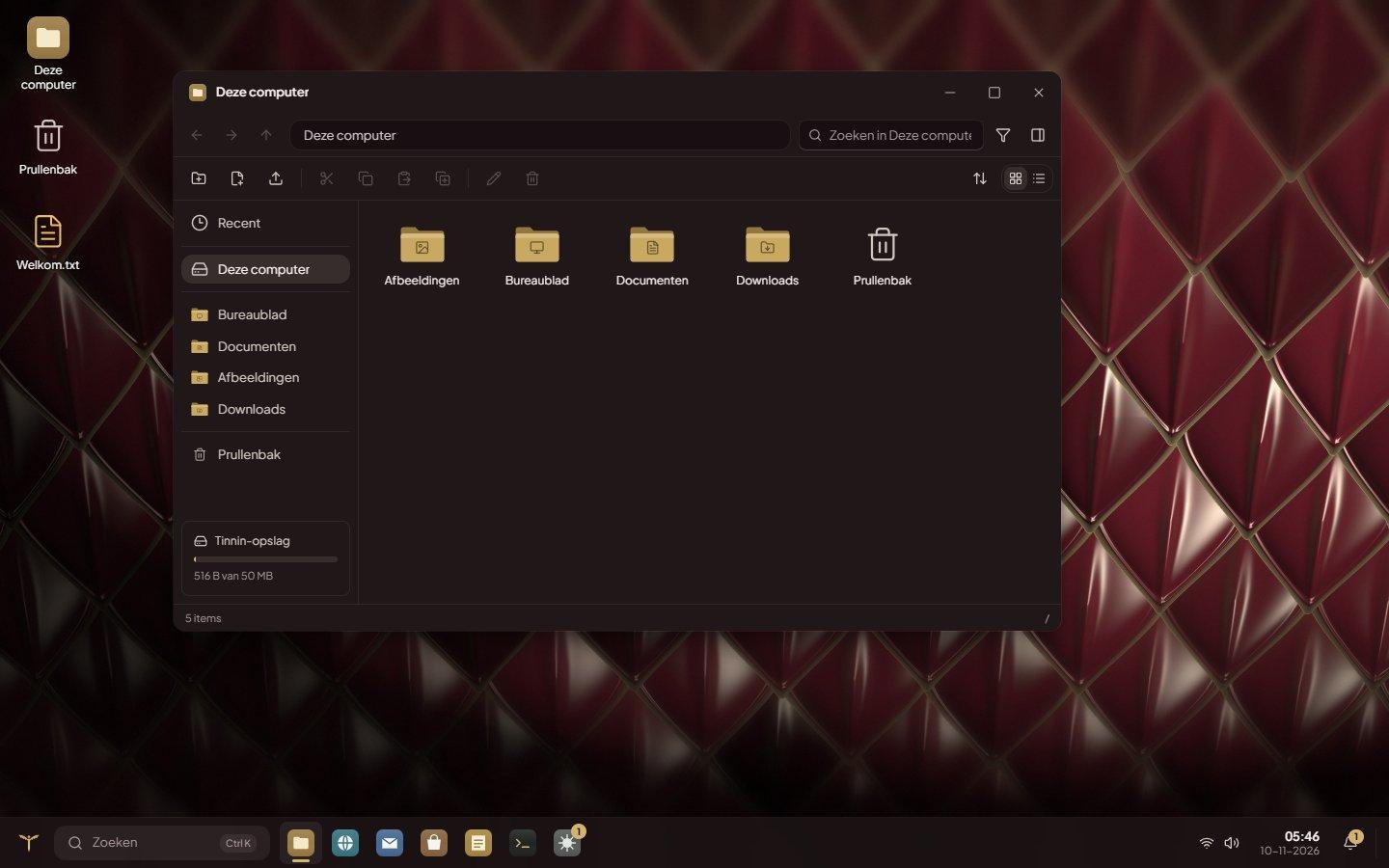
Everything you need every day, without the clutter.
No ads, no pop-ups trying to sell you something, no updates that take over your computer in the middle of your work.
Fast on older laptops
Tinnin OS uses a fraction of the memory Windows 11 needs. Laptops that no longer get Windows 11 keep going for years.
The same everywhere
Your files, mail, calendar, contacts and settings live in your Tinnin account. Sign in somewhere else and it feels like your own computer.
Built-in apps and regular programs
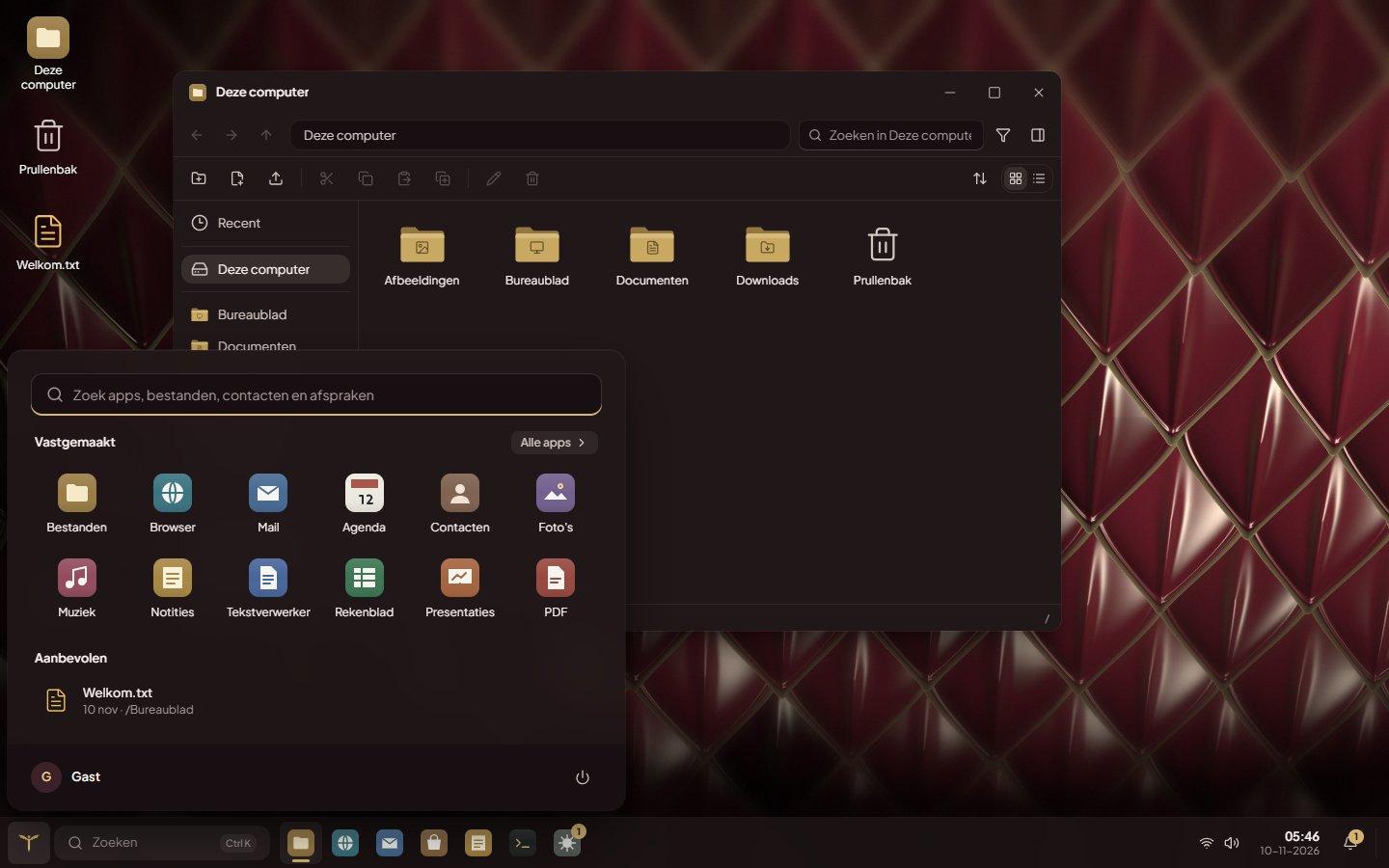
Files, browser, mail, calendar, word processor, spreadsheet and more are included. Through the App Store you install programs like LibreOffice, VLC and GIMP.
Secure by default
Updates are digitally signed, the firewall is on by default and you choose during installation whether the disk is encrypted.
Backup to the cloud
Files that only exist on the laptop go to your Tinnin cloud every hour. If the laptop breaks or gets lost, you still have them.
Dutch and English
Menus, settings and help are available in Dutch and English, with one switch.
How Tinnin fits together.
Tinnin OS is made of a few layers that each do one thing well. From bottom to top: the computer, a reliable base, the screen, the engine and what you see.
- 5
Tinnin itself
The desktop, taskbar, windows and all apps. Built with modern web technology (React). On Tinnin OS it is stored on the computer itself, so Tinnin also starts without internet.
- 4
Tinnin Desktop, the engine
A Chromium engine, the same as in Chrome, that gives Tinnin access to Wi-Fi, sound, Bluetooth, printers, scanners and displays. Netflix, Disney+ and Spotify work in the built-in browser.
- 3
The display layer
A Wayland compositor (labwc) shows Tinnin full screen and gives regular Linux programs their own window on top. If that layer ever fails to start, a simpler one takes over automatically.
- 2
The base
Linux, on Debian 13: the kernel, drivers and security updates that servers all over the world rely on. You never see it; the computer starts straight into Tinnin.
- 1
Your computer
A regular laptop or PC with an Intel or AMD processor. Tinnin recognises the parts and shows in Settings whether everything works.
Tinnin cloud
Your account keeps files (1 GB free), calendar, contacts and notes. Older versions of files can be restored for 30 days, and you share files with a link.
Updates
A few times a day Tinnin checks for a new version. Every update is digitally signed and verified before it is installed. The previous version is kept, so Tinnin can fall back if something goes wrong.
Programs
The App Store has two kinds: Tinnin apps, which run isolated from the rest, and regular Linux programs from Flathub, such as VLC, GIMP and LibreOffice.
Privacy and security
The firewall is on, websites ask permission for camera, microphone and location, and remote help is only possible if you turn it on yourself.
In the browser or as an operating system
| Tinnin in the browser | Tinnin OS | |
|---|---|---|
| Desktop, apps and cloud files | ||
| Works on any computer, no installation | ||
| Works without internet | ||
| Manages Wi-Fi, sound, printers and scanners | ||
| Install regular programs | ||
| Files on the computer itself |
Ready to go
Everything you use every day is there from the first start. More apps and programs are in the App Store.
- Files
- Browser
- Calendar
- Contacts
- Photos
- Music
- Word processor
- Spreadsheet
- Presentations
- Maps
- Weather
- Camera
- Scanner
- Notes
- Terminal
- App Store
How to install Tinnin OS
You can try Tinnin OS from the USB stick first, without changing anything on the laptop.
ISO, about 1.4 GB
Tinnin OS is in beta
It works on the laptops we test it on, but it has not been tried on every computer yet. Back up important files before you install. Run into something? Let us know and we will fix it.
- 1
Download the file
Download the ISO above. It is a copy of the installation USB stick.
- 2
Put it on a USB stick
Use a stick of at least 4 GB and the free program Rufus (choose DD mode) or balenaEtcher. Everything on the stick will be erased.
- 3
Boot from the stick
Plug the stick into the laptop and press the boot menu key while it starts, often F12, F9, F2 or Esc. Choose the USB stick.
- 4
Try and install
Tinnin starts from the stick. If you like it, choose Install Tinnin OS: on the whole disk or next to Windows.
Will it run on my laptop?
Suitable
- Laptops and PCs with an Intel or AMD processor, from around 2010
- At least 4 GB of memory (8 GB is more comfortable)
- At least 25 GB of free disk space (an SSD makes it a lot faster)
Not suitable
- Macs with an Apple chip (M1 and newer)
- Laptops with a Snapdragon chip (ARM)
- Chromebooks
Programs that only exist for Windows (.exe) do not run. For most programs there is an alternative in the App Store.
Frequently asked questions
Is Tinnin OS really free?+
Yes. Downloading, installing and using it is free. A Tinnin account with 1 GB of cloud storage is free as well.
Can I keep Windows?+
Yes. During installation, choose Install next to Windows. When the computer starts, you choose which one to use.
Do I need an account?+
For your cloud files, mail and calendar, yes. You can also continue as a guest; then nothing is kept when you sign out.
Is Tinnin based on Linux?+
Yes. Under the hood it runs Debian 13, one of the most widely used and stable Linux distributions. On top of that sits everything that makes Tinnin: the shell, the apps, the settings and the updates.
How do I get updates?+
Automatically. Tinnin OS checks a few times a day for a new version and installs it at the next restart.
Need help installing?
Questions about Tinnin OS, or would you like us to install it for you, also on several computers at once? Get in touch.
Contact us